Konami
Games
How to force games offine
To put games into an eternal state of being offline, we will trick them into thinking they are constantly in maintenence mode. To do this we use a program named "maint.exe". This program accepts all the requests from the game and returns back that the server is in maintenence.
Download "maint.exe"
Setup
To install, download and copy maint.exe onto the Konami game drive (usually the D:/ drive) next to "gamestart.bat".
Then you'll need to modify the "gamestart.bat" to run maint before it starts the game. You'll add the following line to the batch file:
start "" maint.exe
Lastly, you'll need to edit the ea3-config.xml file to point the game to look at the local server that maint creates. ea3-config is located within the "content > prop" folders (near the gamestart.bat that you just edited).
Add/update the following two lines to the ea3-config:
<url_slash __type="bool">1</url_slash>
<services>http://localhost</services>
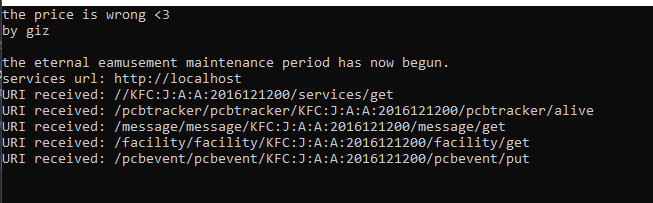
Then you should be all good to run the game and if everything worked you should see something like this as the game is starting up: